top of page
How to delete and re-install the Add-in?
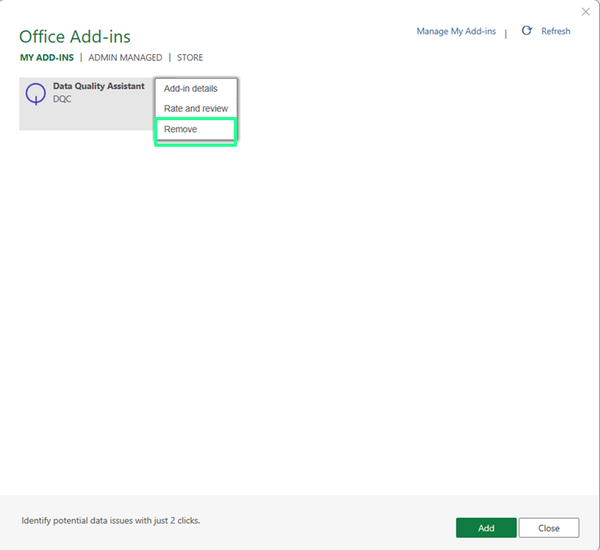
To delete the Add-in, conduct the following steps:
-
Click on "Insert"
-
Click on "My Add-ins"
-
Right click on "Remove"
To install the Add-in again, follow the same steps as installing the Add-in for the first time:
-
Click on "Insert"
-
Click on "My Add-ins"
-
Click on "Store"
-
Search for "Data Quality Assistant"
-
Click on "Add"
The Add-in will then be installed in <1min and appear in the "Home" ribbon.
bottom of page