How to save (and export) a custom check
When a custom check has been created, it can be saved (and exported) and used for other workbooks as well.
In the settings menu, assure all relevant custom checks are set up and other quality dimensions are toggled on/off.

Click on the small arrow on the "Save" button. You can either "Save to ruleset manager" or "Export ruleset":
-
"Save to ruleset manager": Save the custom check (and other settings) to the ruleset manager as part of the Add-in
-
"Export ruleset": Export the custom check (and other settings) as a json file

After clicking on "Save to ruleset manager", the user can add relevant information (ruleset name, creator, description) and save the ruleset.

In the "ruleset manager" (accessible via the ribbon), the user gets an overview of all saved rulesets. They can also be adjusted, exported (as json file) and deleted.
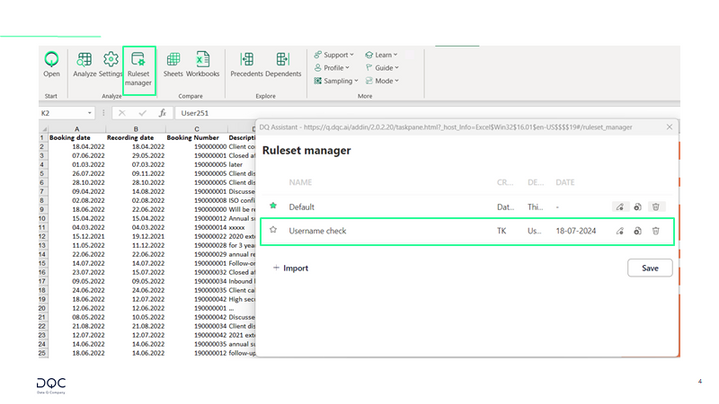
The next time an analysis is conducted, the user can apply one of the saved rulesets to analyze the data:
