top of page
Sign-in: Account creation and login
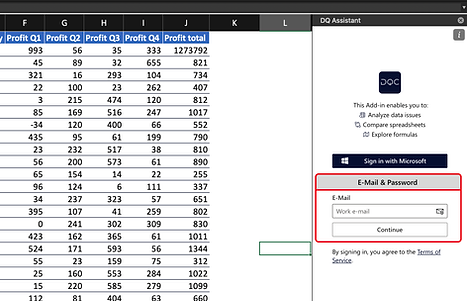
To login / sign-in into the DQ Assistant simply chose between one of the following options.
You can also watch a short video:
1 Microsoft Sign-in:
Click "Sign in with Microsoft" and follow the Microsoft login flow

2 E-Mail & Password:
Enter your e-mail address, followed by a password you freely chose. Passwords are stored encrypted and highly secure.
3 Single-Sign-On:
bottom of page